 how-to
How to Choose a Burglar Alarm System: 2026 Guide
Table of Contents
- Understanding Burglar Alarm System Basics
- Key Features to Look for in a Burglar Alarm System
- DIY vs Professional Home Security Monitoring
- Best Door Security Reinforcement Kits
- Home Security System Installation Costs and Contracts
- Selecting the Right System for Your Situation
- Frequently Asked Questions
Last Updated: September 19, 2026
Understanding Burglar Alarm System Basics
A burglar alarm system is a security setup that detects unauthorized entry into your home and alerts you or monitoring authorities. The core job is simple: catch a break-in early and buy you time to respond. But the details matter enormously. The difference between a wired system and a wireless one, or between monitoring your own alerts versus having professionals watch your home, shapes everything about how the system works and what it costs.
Most homeowners treat alarm selection like picking a phone. They focus on features and price and miss the foundational question: what problem are you actually solving? Are you trying to stop break-ins cold, or are you trying to know when one happens so you can call police? The answer changes everything.
Wired vs. Wireless Intrusion Detection
Wired systems run hardwired sensors through your walls to a central control panel. Wireless systems use battery-powered sensors that communicate via radio signals. Each approach has real trade-offs.
Wired systems are reliable. They don't depend on batteries dying or signal interference. Once installed, they're stable. The downside is installation, you're running wires through walls, drilling holes, and potentially hiring an electrician. For new construction or major renovations, wired makes sense. For existing homes, it's disruptive.
Wireless sensors install in minutes. Peel, stick, and done. They work anywhere, rental properties, temporary setups, rooms you can't easily wire. The catch is batteries. Wireless sensors need replacing every few years, and a dead battery means a gap in coverage. Also, wireless signals can struggle in homes with thick walls or metal interference.
The practical choice depends on your situation. Homeowners in permanent homes often prefer wired for reliability. Renters and people in older homes usually go wireless for speed and flexibility.
Professional Monitoring vs. Self-Monitored Systems
When your alarm triggers, what happens next? Either a monitoring company responds, or you do.
Professional monitoring means a 24/7 team watches your system. When an alarm sounds, they call you to verify it's real, then dispatch police if needed. You pay a monthly fee, typically between $25 and $50 depending on the provider and contract length. The benefit is peace of mind and a faster police response. The downside is cost and loss of control.
Self-monitored systems send alerts to your phone. You decide whether to call police. No monthly fee. But you're the responder. If you're asleep or away, you might miss the alert. If you hesitate to call police, seconds matter.
For most people, professional monitoring is worth the monthly cost. The response time difference is real. Police prioritize professionally monitored alarms over self-reported ones. If security is your priority, professional monitoring is the better choice.
Key Features to Look for in a Burglar Alarm System
When you're evaluating a burglar alarm system, certain features separate systems that actually work from ones that just look good on paper. Focus on these core capabilities.
Sensors and Detection Technology
Door and window sensors are your first line of defense. They trigger when a door or window opens. These are basic but essential, most break-ins come through doors and windows.
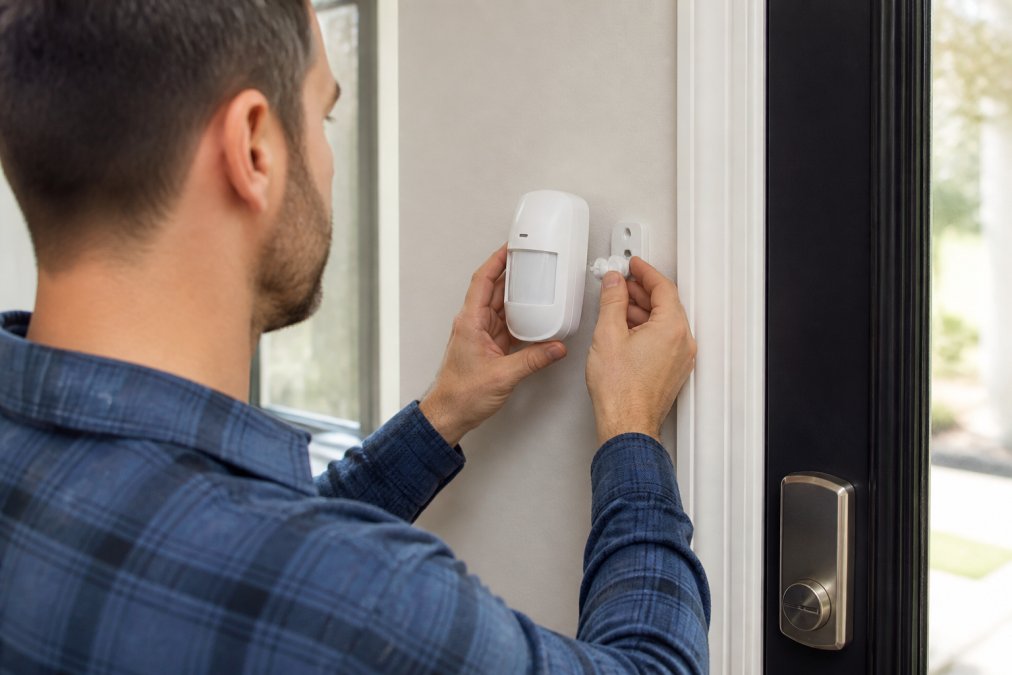
Motion detectors catch intruders moving through your home after entry. They're useful for interior protection, but they create false alarms if you have pets. Look for pet immunity if you have animals. This feature lets small pets move without triggering the alarm.
Glass break sensors detect the sound of breaking glass. They're valuable for homes with large windows or sliding glass doors. A burglar can break glass to reach a lock, and this sensor catches that before they're fully inside.
The best systems layer these sensors. Don't rely on motion detection alone, pair it with door and window sensors. Redundancy saves you from gaps.
Control Panel and Smart Home Integration
Your control panel is the brain of the system. It processes signals from sensors and decides whether to trigger an alarm. Modern panels are networked, they connect to your phone, your home automation system, and monitoring services.
Look for panels that integrate with smart home systems like Alexa or Google Home. This lets you arm and disarm your system from your phone. You can check status remotely. If you're away and realize you forgot to arm the system, you can do it from anywhere.
Two-way voice capability is valuable. When an alarm triggers, the monitoring center can speak through your panel. They can hear what's happening in your home. This speeds up verification and gives you real-time information.
Backup Power and Connectivity
Your alarm system is only useful if it works when power fails or your internet goes down. Look for battery backup on the control panel, at least 24 hours of backup power. This keeps the system running during outages.
Cellular backup is critical. If your internet connection drops, the system should switch to cellular to reach the monitoring center. Some systems use dual connectivity, internet first, then cellular as fallback. This redundancy ensures alerts get through no matter what.
DIY vs Professional Home Security Monitoring
The DIY approach means you buy the equipment, install it yourself, and monitor alerts on your phone. Professional installation means hiring a technician to set everything up and configure the system.
DIY installation is faster and cheaper upfront. Most wireless systems take 30 minutes to an hour. You avoid installer fees. But if something goes wrong, a sensor doesn't communicate, the panel won't connect to your network, you're troubleshooting alone. Some people love this control. Others find it stressful.
Professional installation costs more but guarantees the system works correctly. Technicians test every sensor, verify connectivity, and train you on operation. They also handle monitoring setup and ensure your system integrates with their service. If something fails, they fix it.
For renters or temporary setups, DIY wireless systems make sense. For permanent homes where reliability matters, professional installation is worth the investment. The cost difference is usually $200-$500, which spreads across years of monthly monitoring.
Best Door Security Reinforcement Kits
Beyond alarm systems, physical reinforcement of your doors stops forced entry before it happens. An alarm alerts you to a break-in, but reinforcement prevents the break-in entirely.
Door reinforcement works by strengthening the weakest parts of your door structure, the frame and hinges. Most doors fail at the strike plate, where the bolt meets the frame. Standard strike plates are thin and fastened with short screws. A hard kick breaks them easily.
Quality reinforcement kits use galvanized steel plates and long screws that anchor into the door frame's solid wood. This distributes force across a larger area and prevents the frame from splitting. Door Armor's patented system reinforces entry points with steel that matches your existing hardware, providing 24/7 protection.
The advantage of reinforcement over alarms alone is that it stops the attack before it starts. An alarm notifies you. Reinforcement makes entry so difficult that most burglars move to an easier target. Combined with an alarm system, reinforcement gives you layered security, physical prevention plus detection and response.
Home Security System Installation Costs and Contracts
Cost is where many people get surprised. The equipment price is only part of the picture.
Equipment and Setup Expenses
A basic alarm system with a control panel, door and window sensors, and a motion detector costs between $300 and $800 depending on quality and brand. Wireless systems are usually cheaper than wired. Professional installation adds $200-$500.
Smart home integration and advanced features push costs higher. A comprehensive system with video surveillance, smart locks, and advanced sensors can exceed $2,000 before installation.
Door reinforcement kits are a one-time purchase with no ongoing fees.
Monthly Monitoring Fees and Contract Terms
This is where costs accumulate. Professional monitoring typically runs $25-$50 per month. Over three years, that's $900-$1,800 on top of equipment costs.
Selecting the Right System for Your Situation
Your ideal system depends on your specific circumstances. A one-size-fits-all recommendation doesn't exist.
Renters vs. Homeowners
Renters need systems they can install and remove without damaging the property. Wireless sensors and battery-powered panels are ideal. You can take the system with you when you move. Avoid anything requiring wall drilling or permanent installation.
Perimeter Protection and Entry Point Assessment
Start by identifying your vulnerable entry points. Most break-ins happen at front doors, back doors, and first-floor windows. These are your priority.
False Alarm Mitigation and System Testing
False alarms are expensive. Many jurisdictions fine you for repeated false alarms, and police respond more slowly to homes with a history of false alerts. Proper system setup and testing prevent this.
Frequently Asked Questions
What's the difference between a wired and wireless burglar alarm system?
Wired systems use hardwired sensors and control panels connected through cables, offering reliable power and signal but requiring professional installation. Wireless systems use battery-powered sensors that communicate via radio frequency, allowing faster DIY installation and flexibility to move sensors. Wired systems suit permanent installations, while wireless works better for renters or those wanting simpler setup without running cables through walls.
Do I need professional monitoring or can I self-monitor my burglar alarm system?
Professional monitoring means a trained operator responds to alerts 24/7, contacting authorities if needed. Self-monitored systems send alerts to your phone, letting you decide whether to call police. Professional monitoring costs more but provides response when you're unavailable. Self-monitored systems cost less but require you to respond to every alert. Many homeowners choose professional monitoring for peace of mind and faster emergency response.
What's the most important feature in a burglar alarm system?
Reliable intrusion detection at all entry points is the foundation. This means quality door and window sensors, motion detectors, and glass break sensors covering your home's perimeter. Without comprehensive detection, gaps in coverage leave vulnerabilities. Beyond detection, look for systems with cellular backup connectivity, battery backup power, and professional monitoring to ensure alerts reach help even if internet or power fails.
Can I install a burglar alarm system myself, or do I need a professional?
Wireless systems are designed for DIY installation and typically take 1-2 hours to set up without special tools. Wired systems usually require professional installation because they need running cables through walls and connecting to your electrical panel. If you're not comfortable with basic installation, professionals can set up either type, though it adds to your total cost. Many homeowners start with wireless DIY systems to avoid installation expenses.