 listicle
Best Door Security System 2026: Top Picks Ranked
Table of Contents
- How We Evaluated the Best Door Security Systems for 2026
- Quick Comparison: Top Door Security Systems at a Glance
- 1. Door Armor: Physical Reinforcement That Works Without Power
- 2. SimpliSafe: Best DIY Alarm System for Flexible Monitoring
- 3. Ring Alarm Pro: Best for Whole-Home Connectivity
- 4. ADT Command: Best Professionally Installed System
- 5. Vivint Smart Home: Best Premium Smart Home Security
- Best Smart Door Locks 2026: Schlage, Yale, and Eufy Compared
Last Updated: August 8, 2026
Most residential break-ins happen through the front door. According to the FBI Crime Data Explorer on burglary entry methods, forced entry through doors accounts for the majority of home intrusions, and most take fewer than 60 seconds. The Door Armor team built this guide to rank the best door security systems for 2026 across physical reinforcement, alarm systems, smart locks, and professional monitoring.
Quick Picks:
- Best Physical Reinforcement: Door Armor, stops kick-ins without power or a subscription
- Best DIY Alarm System: SimpliSafe, flexible monitoring, no long-term contracts
- Best Whole-Home Connectivity: Ring Alarm Pro, built-in mesh Wi-Fi, cellular backup
- Best Professional Install: ADT Command, Z-Wave smart home integration, 24/7 monitoring
- Best Premium Smart Home: Vivint Smart Home, full home automation, professional setup
- Best Smart Lock: Schlage Encode Plus, highest security and durability ratings in class
How We Evaluated the Best Door Security Systems for 2026
A door security system is any product or combination of products designed to prevent, delay, or detect unauthorized entry through a door.
We evaluated products across six criteria: physical stopping power, ease of installation, monitoring options, smart home integration, long-term cost of ownership, and suitability for renters. The biggest mistake most buyers make is treating alarm systems and physical reinforcement as interchangeable. An alarm detects and reports an intrusion. Physical reinforcement prevents one. The best setups use both layers.
| Criteria | Why It Matters |
|---|---|
| Physical stopping power | Delays or stops forced entry before it happens |
| Installation complexity | Determines whether you need a contractor |
| Monitoring options | Professional vs. self-monitoring affects response time |
| Smart home integration | Controls locks, cameras, and sensors from one app |
| Long-term cost (3-5 years) | Monthly fees compound significantly over time |
| Renter suitability | Some systems require permanent modifications |
We also evaluated cybersecurity and camera data privacy. If your security camera footage is stored unencrypted on a third-party server, you've traded one vulnerability for another.
Quick Comparison: Top Door Security Systems at a Glance
| System | Type | Starting Equipment Cost | Monthly Fee | Best For |
|---|---|---|---|---|
| Door Armor | Physical reinforcement | Visit doorarmor.com | None | Forced entry prevention, renters, power-independent security |
| SimpliSafe | DIY alarm | $250.96 | $9.99+ | Flexible monitoring, no contracts |
| Ring Alarm Pro | DIY alarm + Wi-Fi | $299.99 | $19.99 | Whole-home connectivity, Ring ecosystem |
| ADT Command | Professional install | $599 | $38.99+ | Professional monitoring, smart home |
| Vivint Smart Home | Professional install | $199.99 equipment | $24.99+ | Premium automation, 36-month contract |
| Schlage Encode Plus | Smart lock | $297.09 | None | Apple HomeKit, high security ratings |
| Yale Assure Lock 2 | Smart lock | From $119.90 | None | Modular Wi-Fi upgrade, Apple Home Key |
| Eufy Smart Lock Touch | Smart lock | $219.99 | None | Fingerprint + Wi-Fi, no hub needed |
1. Door Armor: Physical Reinforcement That Works Without Power
Most alarm systems respond to a break-in rather than stop it. Door Armor solves the problem at the source.
Door Armor is a patented galvanized steel reinforcement system that fortifies the strike plate, door frame, and door edge. A standard residential door frame can be kicked in with one or two blows. Door Armor's reinforcement distributes that force across the entire frame, making kick-ins and prying attacks dramatically harder to execute.
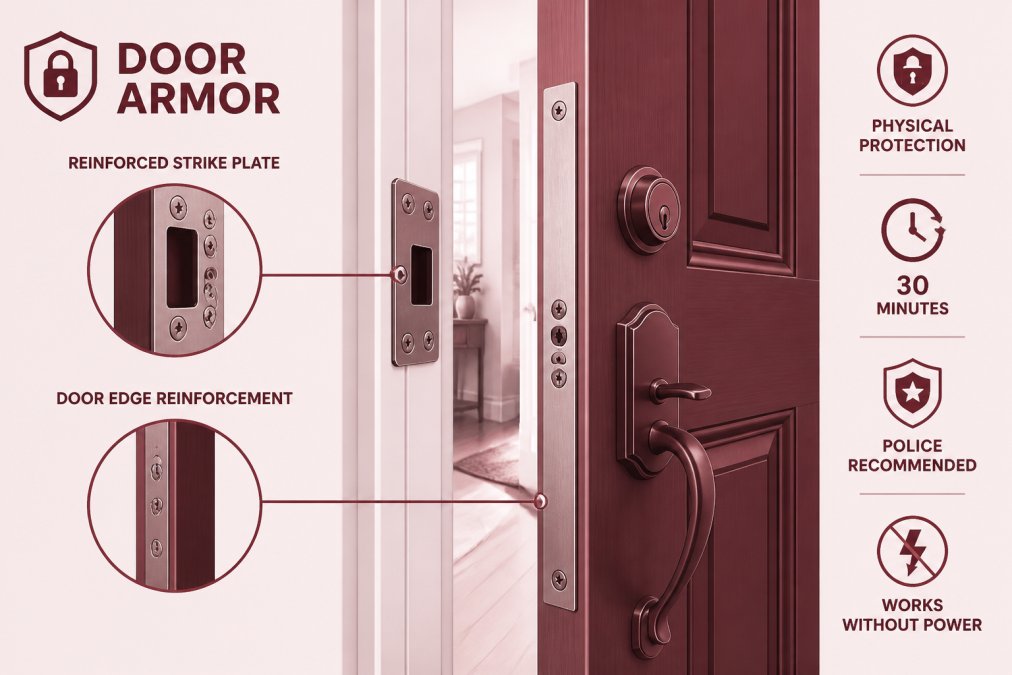
Door Armor is police tested and recommended, carries US Patent 7,946,635, and has secured more than 500,000 doors over 20+ years. The $500 Lifetime Guarantee against kick-ins reflects genuine confidence. Installation takes under 30 minutes with no special tools, and the hardware matches existing door finishes. For renters, Door Armor installs and removes without permanent structural damage.
Door Armor works when the power is out, when your Wi-Fi drops, and when your phone battery is dead. Every other system on this list has at least one failure mode. Door Armor has none.
Pros:
- Works without power, Wi-Fi, or a monthly subscription
- Patented galvanized steel construction, police tested and recommended
- DIY installation under 30 minutes, renter-friendly
- $500 Lifetime Guarantee against kick-ins
- Discreet finish options that match existing hardware
- Trusted by Fannie Mae, featured on FOX & Friends
Best for: Homeowners and renters who want always-on forced entry prevention, vacation property owners, anyone recovering from a prior break-in.
2. SimpliSafe: Best DIY Alarm System for Flexible Monitoring
SimpliSafe starts at $250.96 for equipment and $9.99 per month for self-monitoring with camera recordings, with no long-term contracts. The system covers entry sensors, motion sensors, glass break detectors, smoke, carbon monoxide, and water/temperature sensors. Integration with Amazon Alexa, Google Assistant, Nest thermostats, and August smart locks provides solid home automation without proprietary lock-in.
One limitation: outdoor camera AI features require a higher-tier monitoring plan, and doorbell video quality trails some competitors.
Pros: No long-term contracts, affordable entry point, wide sensor range, easy DIY installation Cons: Advanced AI camera features locked behind premium plans, doorbell video resolution lags behind class leaders
Best for: Homeowners and renters who want flexible professional monitoring without a multi-year commitment.
3. Ring Alarm Pro: Best for Whole-Home Connectivity
Ring Alarm Pro integrates a security hub with a built-in Eero mesh Wi-Fi 6 router. Equipment starts at $299.99, with Ring Protect Pro at $19.99 per month covering 24/7 professional monitoring with police and fire dispatch and 3GB of cellular backup data during outages. That cellular backup is critical: most alarm systems go silent when internet service drops, which is exactly when a sophisticated intruder might cut your connection.
The system is compatible with Ring products and many third-party smart home devices, including Alexa Guard Plus. Geofencing, remote access, and tamper protection round out the feature set. Many smart features require a higher-end subscription tier, and the Virtual Security Guard service carries an additional monthly cost.
Pros: Combines security and mesh Wi-Fi, cellular backup during outages, competitive monitoring pricing Cons: Advanced features require subscription upgrades, Virtual Security Guard is an additional cost
Best for: Users already in the Ring or Amazon ecosystem who want whole-home Wi-Fi and security from a single hub.
4. ADT Command: Best Professionally Installed System
ADT Command starts at $599 for the starter kit with installation, plus $38.99 per month for alarm-only monitoring. The 7-inch touchscreen control panel features LTE cellular communication and built-in Z-Wave Plus for compatibility with smart locks, thermostats, and lighting. Optional automatic Bluetooth disarming recognizes your phone when you walk in.
Professional installation is a genuine differentiator. ADT technicians configure the system to your home's layout, set entry and exit delay timings, and test every sensor before leaving. The downside: ADT runs a proprietary system that can't easily be transferred to another monitoring provider. If pricing increases after installation, your options are limited.
Pros: Professional installation and configuration, Z-Wave Plus smart home compatibility, LTE cellular backup, AI detection with Google Nest Cams on Pro Install Cons: Higher upfront and monthly costs, proprietary system limits future flexibility
Best for: Homeowners who want professional setup, professional monitoring, and deep smart home integration and don't mind paying a premium.
5. Vivint Smart Home: Best Premium Smart Home Security
Vivint's HomeProtect equipment starts at $199.99 with monitoring from $24.99 per month on a 36-month agreement. That contract requirement is critical: the lower monthly rate is tied to a multi-year commitment, and breaking it early carries cancellation fees. Run the full 36-month cost before signing.
The home automation capabilities are comprehensive: outdoor cameras, video doorbell with two-way audio, smart lock integration, remote access, and 24/7 professional monitoring over cellular connection. Professional installation teams design the system around your home. The trade-off: Vivint costs more over 3-5 years than any DIY system, and the contract limits flexibility.
Pros: Best-in-class home automation integration, professional installation, state-of-the-art equipment, reliable cellular monitoring Cons: Requires contract for best pricing, higher total cost of ownership than DIY alternatives
Best for: Homeowners who want a fully integrated smart home security system and are comfortable with a multi-year professional monitoring agreement.
Best Smart Door Locks 2026: Schlage, Yale, and Eufy Compared
A smart lock is not a security system on its own. Pair it with physical reinforcement and an alarm system and it becomes a meaningful layer of access control.
| Lock | Price | Key Entry Method | Wi-Fi | Best Ecosystem |
|---|---|---|---|---|
| Schlage Encode Plus | $297.09 | Keypad, app, Apple Home Key | Built-in | Apple HomeKit |
| Yale Assure Lock 2 | From $119.90 | Keypad, app, Apple Home Key | Optional module | Apple HomeKit, modular |
| Eufy Smart Lock Touch | $219.99 | Fingerprint, keypad, app, key, voice | Built-in | Standalone / Eufy |
Schlage Encode Plus
The Schlage Encode Plus is the best smart deadbolt for buyers who want the highest security certifications available. Built-in Wi-Fi eliminates the need for a separate bridge. Apple Home Key support lets you unlock the door with an iPhone or Apple Watch tap, and the lock manages up to 100 access codes with full entry history and customizable notifications.
At $297.09, it's the most expensive lock in this comparison. Wi-Fi dependency can cause delays in remote access on weak signals, though this isn't an issue for most homes with modern routers.
Best for: Apple HomeKit households, multi-user properties, buyers who prioritize certified security ratings.
Yale Assure Lock 2
The Yale Assure Lock 2 takes a modular approach. The base model starts at $119.90 without Wi-Fi, using Bluetooth and the Yale Access app for local control. A separately purchased Wi-Fi Smart Module upgrades the lock without replacing hardware. Apple Home Key is supported on Wi-Fi-equipped models.
DoorSense technology monitors whether the door is fully closed and latched. Auto-lock and auto-unlock via geofencing add convenience. Some Yale models don't include a physical key backup, which matters if your phone battery dies.
Best for: Budget-conscious buyers who want to start with local control and upgrade to Wi-Fi later.
Eufy Security Smart Lock Touch & Wi-Fi
The Eufy Smart Lock Touch offers five unlocking methods: fingerprint scanner, keypad, app control, physical key, and voice control. Built-in Wi-Fi means no hub purchase required. BHMA certification covers security and durability, and IP65 weatherproofing handles outdoor installation in most US climates.
The fingerprint scanner is the standout feature, faster than keypad entry and more convenient than pulling out a phone. The lock is physically larger than competitors. Third-party smart home integration is more limited; it works well within the Eufy ecosystem but doesn't play as broadly with other platforms.
As the BHMA certification standards for residential locks outline, Grade 1 certification represents the highest residential security classification, a benchmark the Eufy Touch meets.
Best for: Households that want fingerprint entry, built-in Wi-Fi without a hub, and strong weatherproofing.
How to Secure a Front Door Against Break-Ins: A Layered Approach
The most common mistake homeowners make is buying one product and calling it done. Effective door security works in layers, and each layer addresses a different attack method.
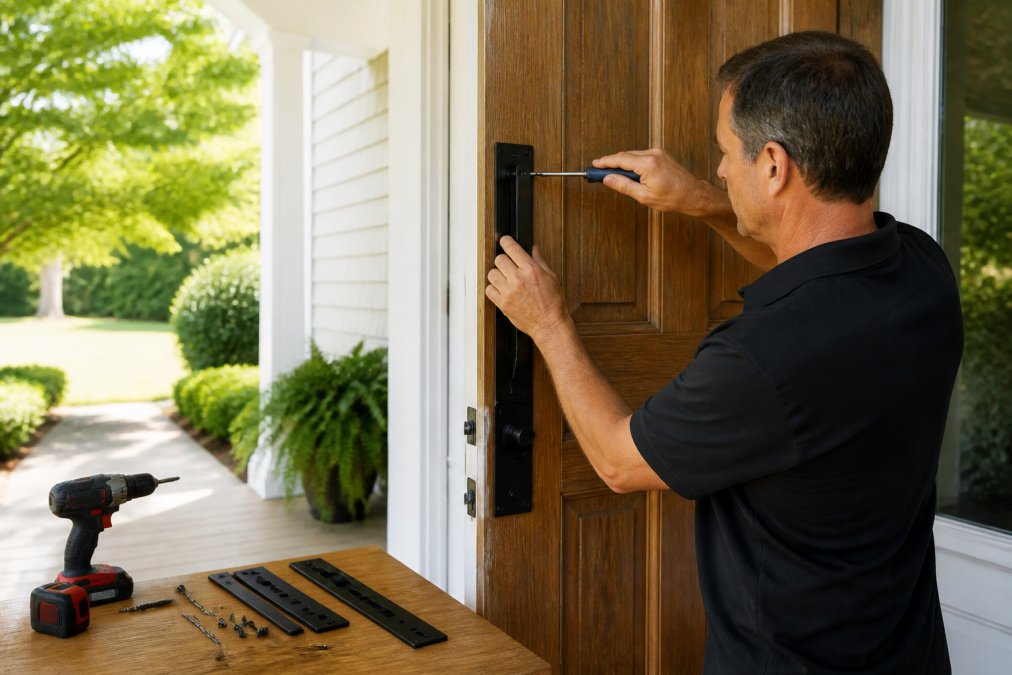
According to the Department of Justice's residential security guidance, visible and physical deterrents reduce the likelihood of attempted entry.
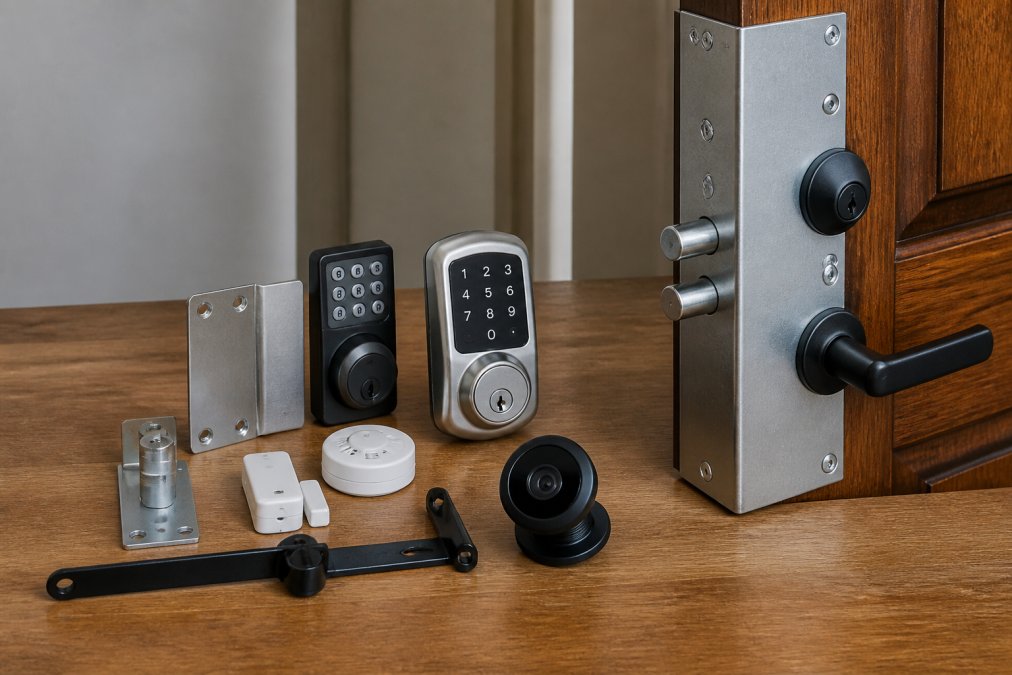
Layer 1, Physical reinforcement: Install door frame and edge reinforcement first. This is your most reliable line of defense because it works without power, connectivity, or a subscription. Door Armor's galvanized steel system is the practical starting point.
Layer 2, Smart lock: Replace a standard deadbolt with a certified smart lock. This controls who can enter, logs access history, and allows remote locking if you forget. A smart lock without physical frame reinforcement is still vulnerable to kick-in attacks.
Layer 3, Alarm system: Add door and window contacts, motion sensors, and a central hub with professional or self-monitoring. The alarm alerts you and dispatches help when layers one and two are breached.
Layer 4, Video doorbell: A video doorbell with two-way audio and real-time alerts adds visibility before entry is attempted. Night vision, motion detection, and cloud storage create an evidence record.
A note on cybersecurity: Every connected device in your security system is a potential attack surface. Choose systems that offer two-factor authentication, end-to-end encryption for cloud storage, and transparent privacy policies for camera data.
Renter-specific note: Renters face real constraints; most landlords won't approve permanent modifications. Door Armor installs without structural damage and removes cleanly. Wireless alarm systems like SimpliSafe require no drilling. Smart locks can replace and restore the original deadbolt when you move. A full layered setup is achievable for renters with the right product choices.
Securing your doors against forced entry starts with the right physical foundation. Alarm systems and smart locks add important layers, but they respond to intrusions rather than stop them. Door Armor's patented galvanized steel reinforcement system addresses the root vulnerability: a door frame that fails under a single kick. With over 500,000 doors secured, police-tested construction, and a $500 Lifetime Guarantee, it's the one upgrade that works regardless of your power, Wi-Fi, or phone signal. Shop Door Armor today and build your security from the ground up.
Frequently Asked Questions
What is the best door security system in 2026?
There is no single answer because the best door security system depends on your priorities. Physical reinforcement products like Door Armor stop forced entry at the door itself, with no power or subscription required. DIY alarm systems like SimpliSafe add motion sensors, door and window contacts, and professional monitoring. For complete protection, a layered approach combining physical reinforcement, smart locks, and an alarm system with cellular backup covers every angle a burglar might try.
What security systems do burglars hate most?
Burglars avoid homes where forced entry takes time and creates noise. Physical door reinforcement that prevents kick-ins is particularly effective because most break-ins happen in under 60 seconds. Visible sirens, motion sensors, and video doorbells with two-way audio also deter intruders. Systems with cellular backup are harder to defeat than Wi-Fi-only setups, since cutting internet service does not disable the alarm. Combining physical reinforcement with real-time alerts is the most effective deterrent combination.
What is the best door security system for apartments or renters?
Renters need solutions that do not require permanent modifications. Door Armor can be installed without structural changes and removed when you move. Wireless alarm systems like SimpliSafe use adhesive-mounted door and window contacts with no drilling required. Smart locks that replace existing deadbolts are another renter-friendly option, provided your lease allows it. Avoid systems that require hardwiring or wall-mounted control panels with large footprints, as these typically require landlord approval.
Do I need professional monitoring for door security?
Professional monitoring means a 24/7 response center calls you and dispatches police or fire services when your alarm triggers. It adds a monthly fee but provides a safety net if you miss a real-time alert. Self-monitoring relies on push notifications to your phone, which works well if you are reliably reachable. For vacation homes or properties left unoccupied for weeks at a time, professional monitoring with cellular backup is worth the cost since no one is nearby to respond to alerts.
How does physical door reinforcement differ from a standard alarm system?
An alarm system detects a break-in and alerts you or a monitoring center after entry is attempted. Physical door reinforcement, like the galvanized steel components in Door Armor, prevents forced entry from happening at all by strengthening the door frame, strike plate, and door edge, the three points that fail during a kick-in. The two approaches solve different problems and work best together: reinforcement buys time or stops entry entirely, while sensors and monitoring ensure someone responds if a threat escalates.
This article was written using GrandRanker